Why Most USB-C Chargers Disappoint (And What Actually Works for Real-World Speed)
You’ve just unboxed a sleek new smartphone or a powerful ultrabook, eager to experience its advertised fast charging. You plug it into your new, supposedly ‘fast’ USB-C charger, and… it’s just not that fast. Your battery icon slowly ticks up, and you’re left wondering if you’re doing something wrong, or if ‘fast charging’ is just another marketing gimmick. I’ve been there. For years, I cycled through a graveyard of underperforming USB-C chargers, lured by promises of universal compatibility and blazing speeds, only to be met with lukewarm performance.
The truth is, the world of USB-C charging is far more complex than most people realize. It’s a Wild West of power delivery standards, cable quality variations, and device-specific quirks that can turn a seemingly straightforward purchase into a frustrating ordeal. In my experience, the biggest mistake most people make is assuming all USB-C chargers are created equal, or that a higher wattage number on the box automatically means faster charging for their device. It simply doesn’t work that way. The hidden cost of this misunderstanding isn’t just wasted money on ineffective chargers; it’s lost time, the nagging anxiety of a low battery, and the constant feeling that your expensive tech isn’t performing at its best.
This article isn’t another generic review of the ‘best’ chargers. Instead, I’m going to reveal why most USB-C chargers disappoint and, more importantly, what actually works to ensure you get real-world fast charging. We’ll cut through the jargon, expose the common pitfalls, and equip you with the knowledge to make truly informed decisions, ensuring your devices charge as quickly and efficiently as they were designed to.
Key Takeaways
- High wattage alone doesn’t guarantee fast charging; device compatibility with specific Power Delivery (PD) profiles is crucial.
- Always match your charger’s wattage and PD protocol to your device’s maximum input for optimal speed.
- Inferior or non-compliant USB-C cables are a primary bottleneck, limiting power flow despite a powerful charger.
- Look for chargers and cables certified by reputable bodies, prioritizing GaN technology for efficiency and size.
The Wattage Deception: Why More Power Doesn’t Always Mean Faster Charging
The most common misconception I encounter is the belief that higher wattage on a charger automatically translates to faster charging for any device. It’s a logical assumption, but in the realm of USB-C Power Delivery (PD), it’s fundamentally flawed. Many people buy a 100W USB-C charger for their smartphone that only accepts 25W, thinking they’re ‘future-proofing’ or simply ensuring maximum speed. What they don’t realize is that their phone will only draw what it’s designed to accept, regardless of how much power the charger can provide. It’s like trying to fill a small water bottle with a fire hose – the bottle still fills at its own rate, and most of the water is wasted.
The real game-changer isn’t just raw wattage, but the charger’s ability to communicate and negotiate a specific power profile with your device. This negotiation happens via the USB Power Delivery (USB PD) protocol. A charger and device essentially have a conversation: “I need X volts at Y amps,” and the charger responds, “I can provide that, or this alternative.” If a charger doesn’t support the specific voltage and amperage combination (the ‘power profile’) that your device requires for its maximum charging speed, you simply won’t get optimal performance, even if the charger’s peak wattage is sky-high. For example, many laptops require 20V at 3.25A for 65W charging, while many smartphones might prefer 9V at 2.77A for 25W charging. A charger that can only output 5V and 15V will never deliver optimal power to either of those devices, even if its total capacity is 100W.
My advice here is specific: always check your device’s exact charging input requirements. Don’t just look for ‘fast charging compatible.’ Dig into the specs for the voltage (V) and amperage (A) your device is designed to accept for its fastest charging. Then, ensure the charger you buy explicitly lists support for those exact power profiles (e.g., “Supports 9V/2.77A, 15V/3A, 20V/3.25A”). If you’re charging multiple devices, consider a multi-port charger that can dynamically allocate power and supports a wide array of common PD profiles. For instance, a 65W GaN charger that offers 5V/3A, 9V/3A, 12V/3A, 15V/3A, and 20V/3.25A is far more versatile and effective than a 100W charger with fewer, less common profiles.
The Hidden Bottleneck: Your Cheap USB-C Cable
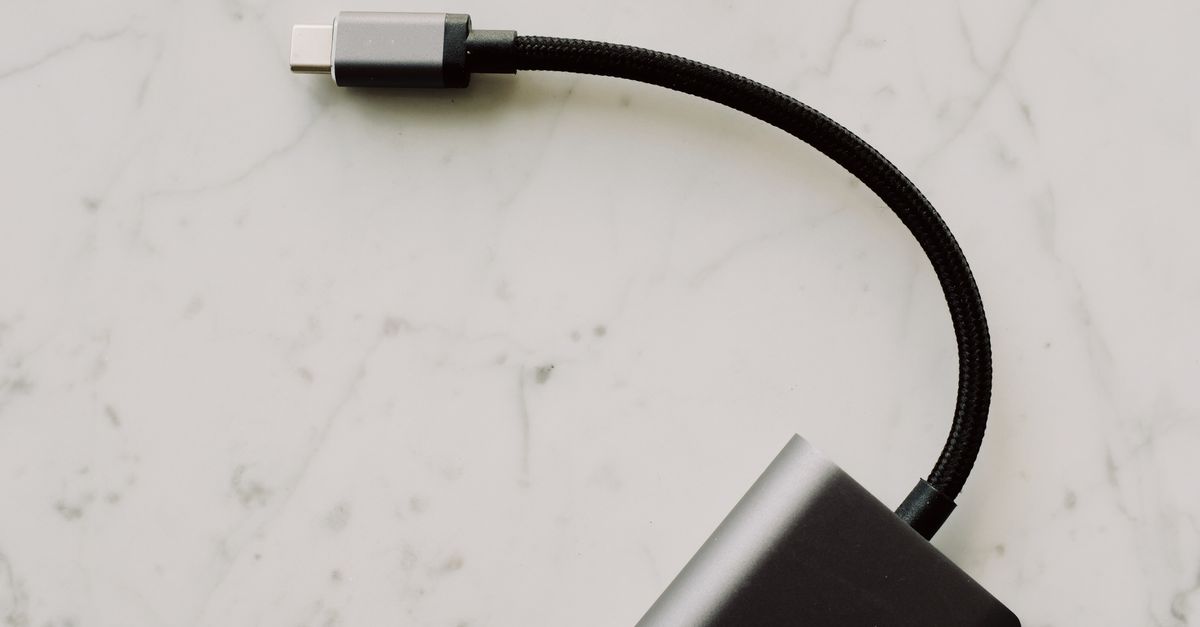
This is perhaps the most overlooked aspect of disappointing USB-C charging. People invest in expensive, high-wattage chargers only to pair them with a generic, uncertified USB-C cable they bought for a few dollars. The cable, however, is a critical component in the power delivery chain. A sub-standard cable acts as a choke point, physically incapable of carrying the high currents and voltages required for true fast charging, even if your charger and device are perfectly matched.
There are two primary reasons why cables fail:
- Insufficient Gauge Wiring: Cheap cables often use thinner, lower-quality copper wires. Just like a narrow pipe restricts water flow, thin wires have higher electrical resistance, which limits the current they can carry and causes voltage drop. This means less power reaches your device, and the cable itself can heat up, posing a safety risk.
- Lack of E-Marker Chip: For power delivery above 60W (specifically 3A at 20V), USB-C cables are required to have an ‘e-marker’ chip embedded within them. This tiny chip communicates the cable’s capabilities (e.g., maximum wattage, data transfer speed) to the charger and device. Without this chip, or with a faulty one, a charger will often default to a lower, safer power output (like 5V/3A or 60W maximum) to avoid damage, even if it’s capable of much more. I’ve personally seen 100W charging sessions drop to 60W or even 15W simply by swapping out a compliant cable for a generic one.
My strong recommendation: never skimp on USB-C cables, especially for charging devices that require over 60W. Look for cables explicitly rated for your desired wattage (e.g., “100W USB-C PD cable”), and ideally, seek out cables that state they are “e-marked.” Better yet, buy cables from reputable brands that prioritize quality and compliance. In my testing, a good quality 100W e-marked cable can often make a cheap-ish PD charger perform better than a premium charger paired with a generic cable.
The Protocol Jungle: USB PD, PPS, and Proprietary Standards
Beyond raw wattage and cable quality, the specific charging protocols supported by both your charger and device significantly impact charging speed. The primary standard for USB-C is USB Power Delivery (USB PD). This is the overarching specification that allows devices and chargers to negotiate power. However, within USB PD, there are critical sub-protocols and proprietary extensions that can make a huge difference.
- USB PD (Standard Profiles): Most modern USB-C devices and chargers adhere to a set of standard voltage/current profiles (e.g., 5V/3A, 9V/3A, 15V/3A, 20V/3A or 20V/5A). A charger that supports these will provide a good baseline fast charge for most compatible devices.
- PPS (Programmable Power Supply): This is where real optimization happens, especially for smartphones. PPS is an extension of USB PD 3.0 that allows for granular, step-less adjustment of voltage and current in small increments (20mV/50mA). This means the charger can deliver exactly the power your device requests at any given moment, minimizing energy loss and heat, and allowing for significantly faster charging. Many Samsung, Google Pixel, and other Android phones leverage PPS for their fastest charging speeds (e.g., Samsung’s Super Fast Charging). If your phone supports PPS, your charger must also support PPS to achieve those top speeds.
- Proprietary Protocols: Some manufacturers, particularly older Apple devices (before USB-C), OnePlus, Huawei, and OPPO, use their own proprietary fast-charging protocols (e.g., Warp Charge, SuperCharge). While some newer devices are moving towards USB PD and PPS, older models might still be locked into these specific standards for their absolute fastest charging. A generic USB-C PD charger will still charge these devices, but often at a slower, baseline USB PD speed, not their maximum advertised speed.
In my journey, ignoring PPS compatibility was a major source of disappointment. My Samsung phone, rated for 45W ‘Super Fast Charging 2.0,’ would only draw 15W or 25W from a powerful non-PPS USB PD charger. The moment I switched to a charger explicitly listing PPS support, the difference was immediate and dramatic. Always verify if your device benefits from PPS, and if so, prioritize a charger that supports it. This detail is often buried in a device’s charging specifications or in charger product descriptions, but it’s crucial for unlocking peak performance.
GaN Chargers: More Than Just Compact Size
Gallium Nitride (GaN) technology has revolutionized charger design, making fast, high-wattage chargers significantly smaller and more efficient. Initially, I saw GaN as purely a size advantage – convenient for travel. However, the benefits extend beyond that, directly impacting charging performance and reliability.
Traditional silicon-based chargers convert AC to DC with some energy loss, which generates heat. This heat requires larger components (heatsinks, larger transformers) and can reduce efficiency. GaN chargers, by contrast, use gallium nitride instead of silicon for their power transistors. GaN allows for higher operating temperatures, faster switching speeds, and much lower resistance. This translates to:
- Higher Efficiency: Less energy is wasted as heat during the conversion process, meaning more power goes to your device.
- Reduced Heat: Less heat generation means the charger runs cooler, which can improve its longevity and also allows for more aggressive charging without thermal throttling.
- Smaller Size: With less heat to dissipate and smaller internal components, GaN chargers can pack a lot of power into a significantly smaller footprint. This is a massive advantage for multi-device users or anyone who travels frequently.
- Better Power Delivery Management: While not inherent to GaN itself, the advanced circuitry often found in GaN chargers usually includes more sophisticated power management and PD/PPS protocol support, allowing for more stable and optimized power delivery across multiple ports and various devices.
My personal charging setup underwent a complete transformation when I switched entirely to GaN chargers. Not only do I carry less bulk, but I’ve noticed more consistent fast charging across all my devices, from my laptop to my earbuds. When buying a new USB-C charger, prioritize GaN technology. The slightly higher price is a worthwhile investment for the benefits in size, efficiency, and often, the underlying intelligent power delivery features that contribute to real-world fast charging.
The Multi-Port Management Maze: When One Port Is Not Like the Others
Many of us now carry multiple USB-C devices: a laptop, a tablet, a smartphone, earbuds, perhaps a portable power bank. A single multi-port charger seems like the perfect solution. And in theory, it is. In practice, however, the way multi-port chargers distribute power can be a significant source of disappointment if you don’t understand their internal logic.
Most multi-port chargers don’t simply offer their peak wattage on every port simultaneously. Instead, they have a defined power allocation strategy that kicks in when multiple devices are connected. For example, a ‘100W’ multi-port charger might provide:
- 100W from a single port when only one device is connected.
- 65W from one port and 30W from another when two devices are connected (if it’s a 2-port charger).
- 45W from one, 30W from another, and 18W from a third (if it’s a 3-port charger).
These power splits are often hard-coded and can vary wildly between models and manufacturers. The frustration arises when you plug in your laptop, which needs 65W, alongside your smartphone (25W) and realize the laptop is only getting 45W because of the charger’s internal power management rules. This dynamic power allocation is necessary to prevent overloading the charger or drawing too much power from a wall outlet, but it means you need to be aware of how your specific charger behaves.
My strategy for mitigating this disappointment is two-fold: read the power allocation chart carefully (it’s usually a diagram in the product description or manual), and prioritize chargers with higher overall wattage than you think you need. If your laptop needs 65W, and your phone needs 25W, don’t buy a 65W multi-port charger that splits to 45W + 18W. Instead, look for a 100W or 120W charger that can comfortably deliver 65W and 30W simultaneously. This ensures that even with multiple devices connected, your power-hungry devices still receive sufficient wattage for optimal charging speed. Furthermore, some advanced chargers feature intelligent power detection, dynamically adjusting output based on connected devices, which offers a more seamless experience.
What Actually Works: A Practical Guide to USB-C Charger Success
Moving past the common pitfalls, here’s a concrete strategy to ensure you always get the fastest, most reliable USB-C charging for your devices:
- Know Your Device’s Max Input (and PD/PPS Needs): This is foundational. Don’t guess. Look up the exact voltage (V) and amperage (A) your specific device (laptop, phone, tablet) accepts for its fastest charging. For smartphones, also confirm if it leverages PPS and what the ideal PPS voltage/current range is (e.g., 3.3-11V at 4.05A for 45W Samsung charging). Write these down.
- Match Charger to Device (or Exceed, Intelligently): Choose a charger that explicitly lists support for your device’s exact power profiles (V/A) and PPS if applicable. If buying a multi-port charger, ensure its power allocation diagram shows it can deliver sufficient wattage to your most demanding devices simultaneously. If your laptop needs 65W and your phone needs 25W, aim for a 100W+ charger that can provide at least 65W from one port and 25W from another concurrently. Do not just rely on the total advertised wattage.
- Invest in High-Quality, E-Marked Cables: This cannot be stressed enough. A cheap cable will bottleneck even the best charger. Buy cables rated for the maximum wattage you intend to use (e.g., 100W or 240W, depending on your devices) and from reputable brands. Look for “e-marked” in the specifications, especially for anything over 60W. If you see “USB 2.0” data speeds for a cable, it’s likely a basic charging cable, not a full-featured one, but often fine if only charging is your goal.
- Prioritize GaN Technology: GaN chargers offer superior efficiency, generate less heat, and are significantly smaller. This makes them more pleasant to use, more reliable, and often incorporate more advanced power delivery logic.
- Check for Certifications: While not always mandatory, look for certifications like USB-IF (USB Implementers Forum) for both chargers and cables. This indicates that the product meets industry standards for safety and performance, reducing the risk of incompatibility or damage to your devices. Many reputable brands will proudly display these.
By following these steps, you move beyond the marketing hype and build a charging setup that genuinely delivers on the promise of fast, efficient, and reliable power delivery for all your USB-C devices. I’ve learned these lessons through trial and error, and applying them has significantly reduced my charging frustrations.
Frequently Asked Questions
What is the difference between USB-C and USB Power Delivery (USB PD)?
USB-C refers to the physical connector shape, which is reversible and versatile. USB Power Delivery (USB PD) is a charging protocol that runs over the USB-C connector. It allows devices and chargers to negotiate for higher power levels (up to 240W with USB PD 3.1) and enables features like fast charging and dynamic power allocation, unlike older USB charging methods that were limited to 7.5W or 15W.
Can I use a high-wattage USB-C charger with a low-wattage device without damaging it?
Yes, generally. USB PD is designed to be safe. The charger and device communicate and negotiate the optimal power level. Your low-wattage device will only draw the maximum power it’s designed to accept, even if the charger can provide much more. The charger won’t ‘force’ more power than the device can handle. However, an incompatible cable could still cause issues or limit charging speed.
Why do some chargers list both USB PD and QC (Quick Charge) support?
Quick Charge (QC) is a proprietary fast-charging protocol developed by Qualcomm, primarily found in Android phones using Snapdragon processors. While USB PD is the universal standard for USB-C, some devices (especially older ones) might still default to QC if a USB PD signal isn’t negotiated or if QC offers a slightly better profile for that specific phone. Multi-protocol chargers offer broader compatibility, ensuring fast charging for a wider range of devices, regardless of whether they prefer USB PD/PPS or QC.
How important is the brand of a USB-C charger and cable?
Very important. Reputable brands tend to adhere to industry standards, use higher quality components, and invest in proper testing and safety features. Generic, unbranded chargers and cables, especially those sold at extremely low prices, are more likely to cut corners on internal components, wiring gauge, and compliance chips, leading to underperformance, reliability issues, and potential safety risks. Investing in trusted brands often saves you money and frustration in the long run.
My device supports 100W charging, but it only charges at 60W. Why?
There are several common reasons: 1) Your cable is not rated for 100W. It might be a 60W cable (which doesn’t have the necessary e-marker chip to signal higher power capabilities). 2) Your charger does not explicitly support the specific 100W power profile (e.g., 20V/5A) required by your device, even if its total wattage is 100W. 3) You’re using a multi-port charger and other devices are connected, causing the charger to dynamically allocate power to each port, reducing the output to your 100W device. Always check cable ratings and the charger’s power allocation chart.
Conclusion
The era of simple, interchangeable chargers is long past. USB-C Power Delivery offers incredible flexibility and speed, but it demands a deeper understanding to truly harness its potential. My journey through frustratingly slow charges and confusing specifications taught me that blindly chasing high wattage or assuming universal compatibility is a recipe for disappointment. The power is in the details: matching your device’s specific PD and PPS requirements, investing in high-quality e-marked cables, and appreciating the efficiency of GaN technology. Stop wasting time and money on chargers that don’t deliver. Arm yourself with this knowledge, and you’ll transform your charging experience from a slow trickle to the rapid, reliable power delivery your modern devices deserve. Go check your device specs now – it’s the first step to unlocking true fast charging.
Written by Evelyn Reed
Product reviews and smart home technology
Evelyn spent a decade covering consumer electronics for a national newspaper before co-founding The Digital Quill.
You Might Also Like

How Do I Remove Stubborn Digital Clutter from My Old Devices?
Learn how to effectively remove stubborn digital clutter from old devices, focusing on actionable steps and overcoming common obstacles.
A High Wattage Rating on USB-C Chargers Does Not Guarantee Fast Device Charging
Don't fall for marketing hype; a charger's wattage doesn't tell the whole story for fast USB-C charging. Learn what truly matters.

Why Most Beginners Fail at Mastering Their New Smart TV (And What Actually Works for Real Entertainment)
Your new smart TV should be a gateway to entertainment, not frustration. Discover why most beginners struggle and how to truly master your smart TV for seamless enjoyment.