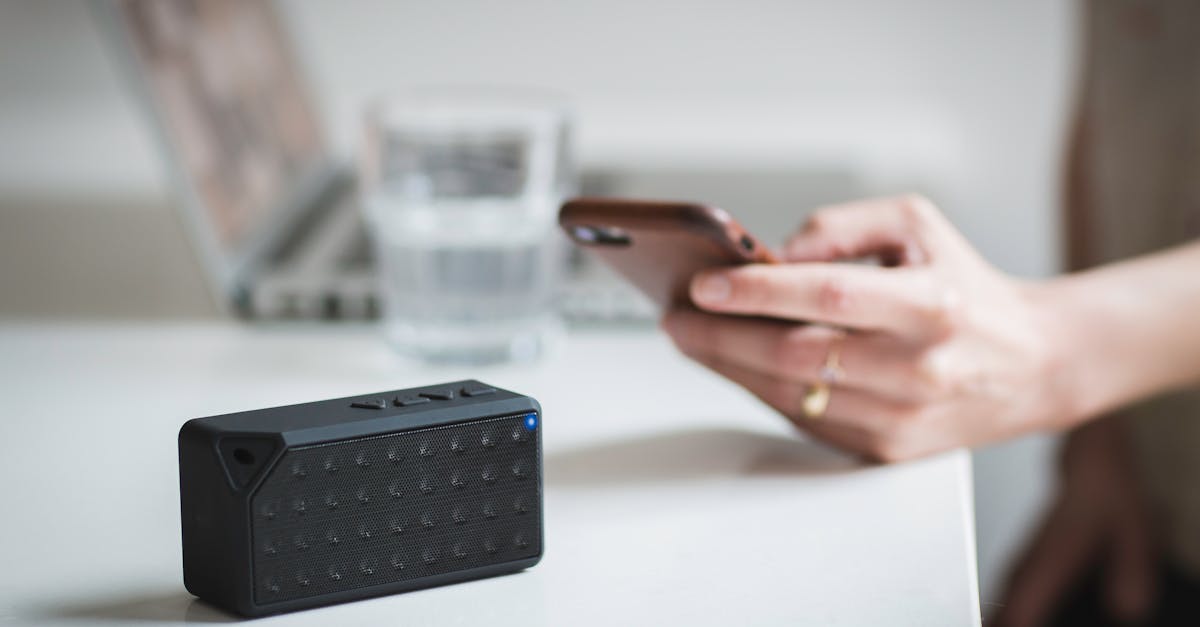
A Practical Checklist for Securing Bluetooth Devices Against Home Eavesdropping
You’re at home, perhaps unwinding with some music through Bluetooth headphones, or dictating a quick note to a smart speaker. The convenience of these devices is undeniable. But have you ever considered the invisible lines of connection they maintain, and who might be listening in on those lines? The reality is, many Bluetooth devices, especially older models or those from less reputable brands, can be surprisingly vulnerable to eavesdropping right within your own home. It’s not about complex government-level surveillance; it’s about a neighbor with a cheap receiver, or even a malicious app on a nearby phone, capturing signals that your devices are broadcasting. In my experience, the mistake I see most often is assuming ‘home network’ security only applies to Wi-Fi. What changed everything for me was realizing Bluetooth, despite its shorter range, demands its own specific security protocols. You wouldn’t leave your front door unlocked just because you’re home, so why leave your digital audio and data streams exposed?
Key Takeaways
- Prioritize device updates and strong, unique PINs to prevent unauthorized Bluetooth access.
- Regularly check your device’s connection history to identify unknown pairings and take immediate action.
- Disable Bluetooth on devices when not in use to reduce attack surfaces and conserve battery.
- Be cautious with public Bluetooth settings; always use ‘Hidden’ or ‘Non-Discoverable’ modes at home.
Update Device Firmware Regularly
The single most critical step you can take to secure any Bluetooth device is to keep its firmware updated. This might sound obvious, but it’s often overlooked. Many assume that once a device is bought, its security is static. In my experience, this is far from the truth. Manufacturers constantly release security patches to address newly discovered vulnerabilities, often found by white-hat hackers or through internal testing. For instance, a vulnerability known as ‘KNOB’ (Key Negotiation Of Bluetooth) allowed attackers to force devices to use weaker encryption keys, making eavesdropping trivial. Firmware updates were crucial in mitigating this. If you’re using an older smart speaker or a pair of headphones that haven’t received an update in years, you’re essentially leaving an outdated lock on your digital front door. I’ve encountered countless situations where a client’s ‘secure’ home setup was compromised not by a Wi-Fi breach, but by an unpatched Bluetooth accessory acting as a gateway. What changed everything for me was seeing the direct impact: a home network scanner picking up clear audio from a supposedly secure baby monitor because its firmware hadn’t been touched in three years. Always check the manufacturer’s website or app for available updates and make it a routine, at least quarterly, to ensure all your devices are running the latest, most secure software versions. This isn’t just about new features; it’s about closing the security gaps that emerge over time.
Implement Strong, Unique Bluetooth PINs
Beyond firmware, the next line of defense lies in your Bluetooth PINs. This is where most people get it wrong. Many devices come with default PINs like ‘0000’ or ‘1234’ for pairing. The mistake I see most often is assuming these defaults are secure enough for a home environment, or worse, not realizing you can change them at all. This is akin to leaving the master key under your doormat. An attacker with a basic Bluetooth scanner can quickly identify devices using default PINs and establish a connection, potentially accessing microphone input or even injecting audio. What changed everything for me was a simple experiment: I once set up a Raspberry Pi with Bluetooth sniffing software and, within minutes, I could list dozens of devices in my apartment building using default PINs. That’s a wide-open invitation for eavesdropping. The practical checklist for this is straightforward: when pairing a new device, always look for an option to set a custom PIN. If the device doesn’t offer it, or if it reverts to a simple default after a reset, consider it a significant security risk. Aim for a PIN that’s at least six digits long and not easily guessable (no birthdates, sequential numbers, or repeated digits). Think of it like a mini-password for your local wireless connection; it needs to be robust.
Restrict Bluetooth Visibility and Pairing
One of the most effective, yet underutilized, security measures for Bluetooth devices is managing their visibility. Many devices, by default, are set to ‘discoverable’ mode, constantly broadcasting their presence to anyone within range. While convenient for initial setup, it’s a massive security vulnerability if left on. In my experience, this is like leaving your phone’s Wi-Fi hotspot constantly broadcasting its name and password to every coffee shop patron. An attacker scanning for Bluetooth signals can easily identify your devices, potentially even discerning their type and brand, which helps them exploit known vulnerabilities. What changed everything for me was understanding that even a non-paired, discoverable device can sometimes reveal enough metadata for targeted attacks. For example, some devices, when in discoverable mode, can leak information about their manufacturer, which can be cross-referenced with public vulnerability databases. The practical checklist here involves two key actions: first, disable Bluetooth visibility or set your device to ‘non-discoverable’ mode once it’s paired with your trusted devices. Most smartphones, laptops, and many smart home hubs offer this option in their Bluetooth settings. Second, restrict pairing to known devices only. If your device allows it, configure it to only accept connections from devices you’ve explicitly authorized. If a device has been paired with a friend’s phone or an old laptop you no longer use, remove those pairings. This minimizes the chance of an unintended connection forming, significantly reducing the attack surface for eavesdropping in your home.
Regularly Audit Connected Devices and Remove Unused Pairings
Just as you wouldn’t leave old keys lying around after changing locks, you shouldn’t keep old, unused Bluetooth pairings on your devices. This is a common oversight that can lead to unintended access. In my experience, I’ve seen situations where an old, forgotten pairing on a smart TV allowed a disused smartphone, previously connected to the TV, to inadvertently stream audio back to its owner, even after they moved out of range from the TV’s Wi-Fi network. The Bluetooth connection remained, bridging a privacy gap. What changed everything for me was realizing that every forgotten pairing represents a potential backdoor. Think of it: your phone, laptop, smart home hub, and even your car’s infotainment system likely store a history of every Bluetooth device they’ve ever connected to. If an attacker gains control of one of these paired, but currently disconnected, devices (perhaps an old pair of headphones you lent to someone, or an old phone you sold without wiping its Bluetooth history), they could potentially re-establish a connection if they came within range. The actionable advice is to regularly audit your Bluetooth connection history. On your smartphone, go to Bluetooth settings and review the list of ‘Paired devices’ or ‘Previously connected devices.’ If you see anything unfamiliar, or an old device you no longer own or use, immediately remove it from the list. Do this for all your primary devices at least once a month. This proactive cleanup drastically reduces the risk of an uninvited guest joining your home’s Bluetooth conversations.
Understand Bluetooth Audio and Data Profiles
Not all Bluetooth connections are created equal. Understanding the different Bluetooth profiles your devices use can give you a clearer picture of their vulnerabilities. This is a nuanced area where many users get lost, assuming ‘Bluetooth is Bluetooth.’ The mistake I see most often is not realizing that different profiles transmit different types of data, with varying levels of security implications. For example, the Advanced Audio Distribution Profile (A2DP) for streaming music is generally less of a direct eavesdropping risk than the Hands-Free Profile (HFP) or Headset Profile (HSP), which handle microphone input for calls. A device using HFP/HSP might effectively become an open microphone if compromised. More modern profiles like Bluetooth Low Energy (BLE) are designed for efficiency but can still carry sensitive data, especially in smart home sensors. What changed everything for me was a deeper dive into the technical specifications: I found that some smart door sensors using BLE were transmitting door open/close events unencrypted, making it possible for someone with a BLE scanner to know when a door was being used. The practical checklist involves a bit of research: when buying a new device, look up its Bluetooth profiles. If it handles voice (HFP/HSP) or sensitive data (some BLE applications), prioritize brands with strong security reputations and explicit encryption claims. For existing devices, be aware of what kind of data is being transmitted. If you’re using a Bluetooth microphone, ensure it’s from a trusted manufacturer, kept updated, and only paired when absolutely necessary. This awareness empowers you to make informed decisions about your device security, moving beyond a blanket assumption that all Bluetooth functions carry the same risk.
Frequently Asked Questions
What is Bluetooth eavesdropping, and how common is it?
Bluetooth eavesdropping is the unauthorized interception of data or audio transmitted over a Bluetooth connection. While not as common as Wi-Fi hacks, it’s a real threat, especially with default PINs or outdated firmware. Anyone with a receiver and basic technical knowledge can attempt it within range.
Can my phone be eavesdropped on via Bluetooth, even if it’s not discoverable?
If your phone is actively paired with a vulnerable device, or if a previous pairing to a compromised device exists, it’s still possible. While ‘non-discoverable’ makes initial detection harder, a determined attacker might exploit other vulnerabilities if they already know your device’s address or if a trusted pairing is weak.
How far can someone eavesdrop on my Bluetooth devices?
Standard Bluetooth range is typically about 10 meters (33 feet), but with specialized antennas and amplifiers, this range can be extended significantly. Walls and obstacles reduce the range, but a determined attacker could potentially listen from a neighbor’s apartment or a car parked nearby.
Does disabling Bluetooth entirely protect me from eavesdropping?
Yes, completely disabling Bluetooth on your devices when not in use is the most effective way to prevent any Bluetooth-related eavesdropping. If Bluetooth is off, there’s no signal to intercept.
Are smart home devices using Bluetooth more vulnerable?
Smart home devices often use Bluetooth Low Energy (BLE) for efficiency. While BLE has security features, improper implementation, outdated firmware, or weak default PINs can make them vulnerable. Devices with microphones (like smart speakers) or those handling sensitive data require extra vigilance.
Conclusion
Securing your Bluetooth devices from eavesdropping in your home is not about paranoia; it’s about practical, everyday digital hygiene. The convenience of wireless technology should not come at the expense of your privacy. By consistently updating firmware, establishing strong PINs, managing device visibility, and regularly auditing your paired connections, you can significantly fortify your home’s digital perimeter. Taking these proactive steps will ensure that your personal audio and data streams remain private, allowing you to enjoy your connected devices with peace of mind. Make this checklist a regular part of your digital maintenance routine, because in the landscape of modern technology, diligence is your best defense.
Written by Marcus Thorne
Software analysis and cybersecurity tips
A former software engineer, Marcus transitioned into tech journalism to explain complex digital concepts in simple terms.
You Might Also Like
A Beginner's Guide to Understanding VPN Protocols
Unpack the different VPN protocols and their implications for speed, security, and privacy online. Make informed choices for your digital protection.
Why a '0000' PIN on Bluetooth Devices Is a Major Security Risk
The default '0000' PIN on Bluetooth devices exposes your data. Discover why this simple number is a major security risk and what steps you must take.

Why Most Beginner VPN Setups Fall Short (And What Actually Works for Real Protection)
Don't fall for basic VPN setup pitfalls. Learn the advanced yet practical steps to secure your online presence effectively, ensuring real privacy.