
Why Most Beginner VPN Setups Fall Short (And What Actually Works for Real Protection)
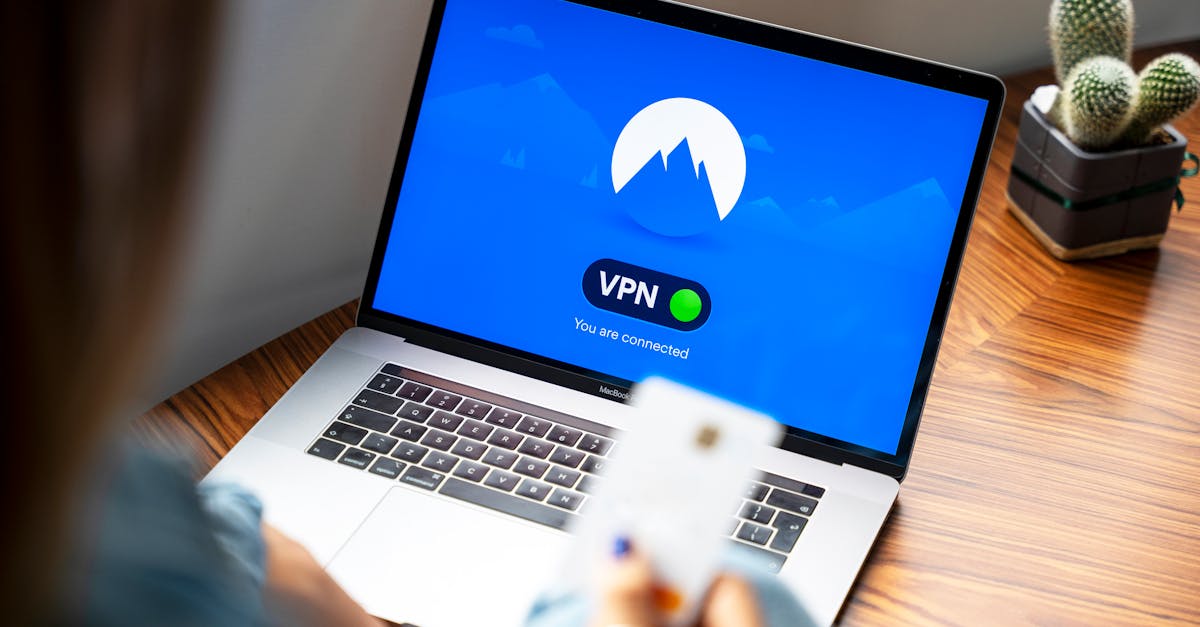
You’ve decided to take control of your online privacy, which is commendable. You’ve probably picked out a VPN service, downloaded the app, clicked ‘connect,’ and now you assume you’re safe. That little green ‘connected’ icon gives you a warm, fuzzy feeling of security. But in my experience, that’s precisely where most beginners go wrong. They treat a VPN like a magic bullet, a ‘set it and forget it’ solution that provides an impenetrable shield. The harsh reality is that a basic VPN setup often provides a false sense of security, leaving critical gaps that can expose your data, location, and browsing habits. Without a deeper understanding of how VPNs actually work and the common pitfalls, you’re essentially putting a flimsy lock on a door you believe is solid steel.
I’ve spent years analyzing network security, and I’ve seen countless instances where people believed their VPN was protecting them, only to find their data leaking or their true IP address exposed. It’s not just about picking a reputable provider; it’s about configuring and using it correctly within your entire digital ecosystem. This isn’t about paranoia; it’s about informed protection. This article isn’t a basic ‘what is a VPN’ explainer; it’s about the advanced, yet practical, strategies you need to implement to get real privacy and security from your VPN, addressing the non-obvious issues that trip up most newcomers.
Key Takeaways
- Relying solely on the VPN client’s ‘connect’ button is insufficient; always verify your actual IP and DNS servers after connecting.
- Crucially enable advanced features like a kill switch and DNS leak protection, as they are often disabled by default and prevent data exposure.
- Implement a layered security approach, using browser extensions like HTTPS Everywhere alongside your VPN for comprehensive protection.
- Regularly test your VPN setup for leaks using dedicated tools, because configuration changes or software updates can introduce vulnerabilities.
The Illusion of ‘Click and Connect’ VPN Security
The biggest mistake I see users make is believing that simply clicking the ‘connect’ button in their VPN client instantly makes them anonymous and secure. It’s a compelling user experience, but it oversimplifies a complex process and fosters a dangerous sense of complacency. When you hit ‘connect,’ the client attempts to establish an encrypted tunnel to a VPN server. If successful, your traffic should theoretically route through that server, masking your real IP address. However, ‘should’ is the operative word here.
In my experience, even with a seemingly successful connection, DNS leaks are rampant among beginners. Your computer, by default, often uses your ISP’s DNS servers to translate domain names (like webfirst.co) into IP addresses. If your VPN isn’t properly configured to force all DNS requests through its own secure servers, these requests will bypass the encrypted tunnel and go directly to your ISP. This immediately exposes your browsing activity to your ISP, completely undermining your VPN’s purpose. I’ve seen countless online tests showing users’ true ISPs, even with a VPN reporting ‘connected.’ The solution isn’t magic; it’s vigilance. After connecting, always visit a site like ipleak.net or dnsleaktest.com. Check not only your displayed IP address but critically, examine the DNS servers listed. If you see your ISP’s name or a server physically close to your actual location, you have a leak. This immediate verification step is often skipped entirely by new users, leaving them exposed.
Another common ‘click and connect’ failure occurs when the VPN connection momentarily drops. Without specific safeguards, your device will immediately revert to its default, unsecured internet connection, exposing your real IP address and current activity. This brief window, even if it lasts only a few seconds, is enough to compromise your privacy. The ‘connected’ status is fragile; assume it can fail, and build safeguards accordingly. This leads us directly to the essential, often overlooked, advanced features.
The Critical Features Most Beginners Overlook (or Disable)
Many VPN providers include crucial security features, but they are often disabled by default or buried deep in settings. Beginners, eager to get online, rarely dig into these configurations, assuming the default is ‘secure enough.’ This is a critical oversight. The two most vital features that, in my opinion, are non-negotiable for real protection are the Kill Switch and DNS Leak Protection.
The Kill Switch: This feature is paramount. If your VPN connection drops for any reason (a server hiccup, Wi-Fi instability, or even your laptop going to sleep and waking up), a kill switch immediately blocks all internet traffic from your device. This prevents your actual IP address and unencrypted data from being accidentally exposed, even for a split second. The mistake I see most often is users either don’t know it exists, or they disable it because it can be mildly inconvenient when the VPN connection is unstable. Convenience at the cost of security is a trade-off you should never make with a VPN.
Dedicated DNS Leak Protection: While I mentioned manually checking for DNS leaks, many premium VPNs offer a built-in feature to prevent them by forcing all DNS queries through the VPN tunnel. This is distinct from simply routing traffic through the VPN. It specifically ensures that DNS requests don’t ‘bleed’ outside the encrypted tunnel. Ensure this is actively enabled and, again, still verify with a third-party tool occasionally. These features are fundamental building blocks for a truly protected VPN setup. If your chosen VPN doesn’t offer them, it’s not worth your money for serious privacy.
Beyond the App: Layered Security is Non-Negotiable
Thinking your VPN app is the only layer of defense is akin to having a strong lock on your front door but leaving all your windows open. Real online security, especially with a VPN, demands a layered approach. In my experience, relying solely on the VPN client’s encryption can still leave you vulnerable to other forms of tracking and identification.
Consider your web browser. Even with a VPN, many browsers have their own tracking mechanisms, cookies, and fingerprinting vulnerabilities. This is why I always recommend pairing your VPN with a privacy-focused browser and judicious use of browser extensions. For instance, extensions like HTTPS Everywhere (which encrypts your communication with websites where possible, even if you typed HTTP) and robust ad/tracker blockers (like uBlock Origin) are essential. While your VPN hides your IP, these tools combat browser-level tracking and reduce the data footprint you leave behind. This combination creates a significantly stronger defense. What changed everything for me was realizing that each component of my digital life – the operating system, the browser, the apps – could be a point of failure, even with a VPN running. A holistic view, rather than a single-point solution, is what actually works.
Another overlooked layer is your operating system’s firewall. While the VPN establishes its own tunnel, your OS firewall can act as an additional gatekeeper, controlling which applications are allowed to connect to the internet at all. You can configure it to only allow traffic from your VPN client or specific, trusted applications when the VPN is active. This is an advanced step, yes, but it’s invaluable for ensuring no rogue process bypasses your VPN, even in error.
The Device-Wide vs. App-Specific Dilemma
Most beginners simply install the VPN app on their laptop or phone and assume all traffic on that device is protected. While this is largely true for standard VPN clients, it introduces a crucial dilemma: device-wide protection versus app-specific tunneling (split tunneling). The mistake I see most often is users not understanding the implications of these choices.
Device-wide protection (the default for most clients) means all internet traffic from your device goes through the VPN. This is generally the most secure option for privacy. However, it can sometimes be inconvenient if you need certain apps to access local network resources or want to access geo-restricted content from different regions simultaneously. This is where split tunneling comes in.
Split tunneling allows you to choose which applications or websites use the VPN tunnel and which connect directly to the internet. While this offers flexibility, it’s a major security risk if not configured meticulously. The danger lies in accidentally allowing sensitive applications to bypass the VPN, thus exposing your data. For instance, if you split tunnel your banking app to use your local IP, you’ve just negated a significant privacy benefit for that transaction. In my experience, beginners should avoid split tunneling until they have a firm grasp of network traffic and their specific use cases. The default, device-wide protection, while less flexible, is inherently more secure for comprehensive privacy.
Furthermore, consider devices where you cannot install a VPN client, like smart TVs, gaming consoles, or some IoT devices. For these, a client-based VPN on your laptop offers no protection. This is where router-level VPNs become essential. Flashing your home router with VPN firmware (or buying a pre-configured VPN router) ensures all devices connected to that network are automatically protected. This is a significantly more advanced setup but offers unparalleled device-wide coverage that beginners often miss entirely, leaving their smart home devices as gaping privacy holes.
Regular Verification and Staying Current is Non-Negotiable
Finally, the most overlooked aspect of a successful VPN setup is the ongoing vigilance. Many beginners set up their VPN once and never think about it again. This is a recipe for eventual exposure. The digital landscape changes constantly: VPN software updates, operating system patches, new tracking methods, and even changes in your internet service provider can all introduce new vulnerabilities.
In my experience, regularly verifying your VPN’s effectiveness is paramount. Set a reminder to run a DNS leak test (like those mentioned earlier) at least once a month, or after any major software update to your VPN client or operating system. These tests are quick and reveal whether your setup is still holding strong.
Beyond technical checks, stay informed about your VPN provider. Are they transparent about their no-logs policy? Have they undergone independent audits recently? Have there been any data breach reports associated with their service? A VPN is only as good as the company behind it. Beginners often pick a VPN based on price or a single online review, neglecting the long-term track record and commitment to privacy.
Lastly, ensure your VPN client itself is always up to date. Software updates often contain critical security patches that address newly discovered vulnerabilities. Running an outdated client is like leaving a known back door open. What changed everything for me was adopting a mindset of continuous improvement and skepticism toward my security tools. Assume they can fail, and build routines to verify they’re working as intended. This proactive stance is what separates true online protection from a hopeful guess.
Frequently Asked Questions
Q: What is a DNS leak and why is it bad for my VPN privacy?
A: A DNS leak happens when your device’s DNS requests bypass the VPN tunnel and go directly to your Internet Service Provider (ISP). This is bad because your ISP can then see which websites you’re visiting, effectively negating your VPN’s privacy benefits by revealing your online activity.
Q: What is a kill switch and why do I need it?
A: A kill switch is a VPN feature that automatically blocks all internet traffic from your device if the VPN connection unexpectedly drops. You need it to prevent your real IP address and unencrypted data from being exposed, even for a brief moment, if your VPN disconnects.
Q: Should I use split tunneling with my VPN?
A: As a beginner, it’s generally recommended to avoid split tunneling. While it offers flexibility by allowing some apps to bypass the VPN, it introduces significant security risks if not configured perfectly, potentially exposing sensitive data.
Q: How often should I test my VPN for leaks?
A: You should test your VPN for leaks at least once a month, or after any major software update to your VPN client or operating system. This ensures that your configuration is still secure and free from vulnerabilities.
Q: Can my VPN protect all devices in my home?
A: A standard VPN client only protects the device it’s installed on. To protect all devices in your home network, including smart TVs and IoT devices, you would need to configure a VPN directly on your home router, or use a pre-configured VPN router.
Conclusion
The allure of a simple ‘click and connect’ solution for online privacy is powerful, but in the complex world of internet security, it’s often a mirage. True VPN protection, the kind that genuinely safeguards your digital life, goes far beyond a basic app installation. It demands an understanding of underlying vulnerabilities like DNS leaks, the diligent activation of crucial features like a kill switch, the implementation of layered security, a thoughtful approach to device-wide coverage versus app-specific tunneling, and, most importantly, a commitment to ongoing verification and staying informed. Don’t be another statistic in the long line of users who thought they were protected but weren’t. Take the extra steps, embrace the nuanced approach, and establish the robust, real-world privacy you deserve. Your next step should be to immediately visit a DNS leak test site, even if your VPN says ‘connected.’ If you find a leak, dig into your VPN settings and enable the dedicated leak protection and kill switch features. This small effort will vastly elevate your online security.
Written by Marcus Thorne
Software analysis and cybersecurity tips
A former software engineer, Marcus transitioned into tech journalism to explain complex digital concepts in simple terms.
You Might Also Like

A Practical Checklist for Securing Bluetooth Devices Against Home Eavesdropping
Don't let your Bluetooth devices be an open mic. Learn practical steps to secure them against eavesdropping in your home, protecting your privacy.
A Beginner's Guide to Understanding VPN Protocols
Unpack the different VPN protocols and their implications for speed, security, and privacy online. Make informed choices for your digital protection.
Why a '0000' PIN on Bluetooth Devices Is a Major Security Risk
The default '0000' PIN on Bluetooth devices exposes your data. Discover why this simple number is a major security risk and what steps you must take.