
Why Most People Overcomplicate Online Privacy (And What Actually Works for Real Protection)
Every week, I talk to someone convinced they need a specific combination of encrypted messengers, anonymous browsers, and custom DNS servers just to check their email. They’re spending hours researching the latest privacy tools, tweaking settings they don’t fully understand, and often, ironically, making themselves less secure or productive in the process. They’ve fallen into the trap of overcomplicating online privacy, mistaking complexity for efficacy.
I get it. The digital world feels like a minefield of data breaches, targeted ads, and ubiquitous tracking. The headlines are scary, and the advice from well-meaning but often misinformed corners of the internet can be overwhelming. This leads to a common misconception: that true online privacy requires a fortress-like setup demanding advanced technical skills and a constant vigilance that borders on paranoia. In my experience, this approach is not only unsustainable but often counterproductive. It drains time, creates friction, and ultimately leads to burnout, leaving people feeling defeated and exposed.
The truth is, effective online privacy isn’t about implementing every single tool or service available. It’s about understanding the actual threats you face, prioritizing the most impactful changes, and building a sustainable routine. It’s about recognizing that for the vast majority of people, the biggest privacy wins come from a handful of fundamental practices, not from chasing an elusive, perfect anonymity that most don’t actually need.
Key Takeaways
- Focus on strong, unique passwords and two-factor authentication for your most critical accounts, as this addresses the most common attack vectors.
- Understand that data collection by mainstream services is a business model, and complete avoidance is often impractical; instead, control what you share.
- Choose a privacy-focused browser and search engine for daily use to significantly reduce passive tracking without extreme measures.
- Regularly review app permissions and device privacy settings to prevent unnecessary data leakage from your most personal devices.
The Fundamental Flaw: Chasing Anonymity Over Security
Many people conflate online privacy with anonymity. They believe that if they can’t be traced, they’re private. While anonymity is a component of privacy for specific, high-risk individuals (journalists, activists, etc.), for the average person, it’s a largely unattainable and often unnecessary goal. The mistake I see most often is that this pursuit of anonymity often diverts attention from the far more prevalent and dangerous privacy threats: account compromise and inadvertent data leakage.
Let’s be clear: a dedicated attacker, particularly a state-sponsored one, can likely de-anonymize almost anyone given enough resources and time. For you and me, the more immediate and common threats are not shadowy government agencies tracking our every move (though some data collection is widespread) but rather opportunistic cybercriminals, aggressive advertisers, and the sheer volume of personal data we willingly or unknowingly expose. What changed everything for me, and what I recommend to clients, is shifting the mindset from “How do I become invisible online?” to “How do I protect my personal data from those who would misuse it?” This distinction fundamentally alters the strategy. Instead of focusing on exotic routing techniques or obscure operating systems, we focus on the digital equivalent of locking our doors and putting our valuables in a safe. This means strong authentication, careful data sharing, and awareness of common digital pitfalls. It’s about building strong, defensible perimeters around the information that truly matters to you, rather than trying to disappear entirely.
Your Digital Foundation: Passwords and 2FA are Non-Negotiable
I can’t stress this enough: if you are not using a password manager to generate and store long, unique passwords for every single online account, and if you are not enabling two-factor authentication (2FA) wherever it’s offered, you are fundamentally exposed. This isn’t an optional extra; it’s the bedrock of modern digital security and, by extension, privacy. A weak or reused password is an open invitation for an attacker to not only compromise that specific account but potentially every other account where you’ve used the same credentials. I’ve witnessed countless data breaches where the initial point of entry wasn’t some sophisticated zero-day exploit, but a compromised password from an unrelated, forgotten service that was then used to access email, banking, or social media.
The cost of ignoring this is immense. Imagine the fallout from someone gaining access to your primary email, which often serves as the recovery mechanism for every other online service you use. This single point of failure can unravel your entire digital life, leading to financial fraud, identity theft, and profound privacy violations. The solution is remarkably simple: adopt a reputable password manager (like Bitwarden, LastPass, or 1Password), let it generate complex, unique passwords for everything, and then religiously enable 2FA on every service that supports it. SMS-based 2FA is better than nothing, but authenticator apps (like Authy or Google Authenticator) or physical security keys (like YubiKey) offer superior protection. This isn’t about being perfectly anonymous; it’s about making your accounts so difficult to compromise that attackers move on to easier targets. This single step will do more for your privacy than a dozen VPNs and ‘privacy browsers’ combined if your accounts are still protected by ‘password123’.
The Data Sharing Dilemma: It’s About Control, Not Complete Avoidance
The most common anxiety I encounter revolves around how much data companies collect. People often feel helpless, as if their entire digital footprint is out of their control. The reality is, a significant portion of data collection is the explicit business model of the internet services we use daily—from search engines to social media, even news sites. Trying to completely opt out of this often means opting out of the internet as we know it, which is not a practical solution for most people.
Instead, what works is a nuanced approach: assume most major services collect some data, and focus on controlling what you share, who you share it with, and how that data is used. This means critically evaluating permissions when installing new apps or signing up for services. Does that photo editing app really need access to your contacts or location? Does that game need to access your microphone 24/7? Regularly review the privacy settings within platforms like Google, Facebook, and even your smartphone’s operating system. These platforms often provide granular controls over ad personalization, location history, and data sharing with third-party apps, but you have to actively seek them out and configure them.
For example, I routinely advise clients to disable location history on their phones unless there’s a specific, compelling reason to keep it enabled. Similarly, reviewing and revoking access for old or unused apps connected to your Google or Facebook accounts can significantly reduce data leakage. It’s not about achieving zero data collection, which is a myth for most modern internet usage, but about minimizing unnecessary exposure and making informed choices about the trade-offs you’re willing to make for convenience or functionality. The goal isn’t to never share data, but to ensure that when you do, it’s intentional and limited.
The Browser Barrier: Your First Line of Defense Against Passive Tracking
Most people spend the vast majority of their online time within a web browser. Yet, many still use the default browser that came with their operating system, often without realizing the significant privacy implications. Mainstream browsers like Chrome are deeply integrated with a vast ecosystem of Google services, which while convenient, are designed around data collection and targeted advertising. This doesn’t mean Chrome is inherently ‘bad,’ but it certainly isn’t optimized for privacy out-of-the-box.
What truly works for most people is simply switching to a more privacy-focused browser as their daily driver. Brave, Firefox (especially with privacy-enhancing add-ons), and Safari (on Apple devices) are excellent alternatives. These browsers often include built-in ad blockers, tracker blockers, and intelligent cookie management that significantly reduce the amount of passive data collection that happens as you browse the web. This is a “set it and forget it” change that delivers substantial privacy benefits without requiring constant vigilance or advanced technical knowledge. For instance, Brave blocks ads and trackers by default, leading to faster loading times and a much cleaner browsing experience, all while preventing countless entities from profiling your online behavior.
Beyond the browser choice itself, consider a privacy-focused search engine like DuckDuckGo or Startpage. These engines don’t track your search queries, providing results that aren’t personalized based on your past behavior, which can be surprisingly refreshing. The combination of a privacy-focused browser and search engine is a powerful, low-effort step that dramatically reduces the surface area for data collection and profiling. It’s not about becoming invisible, but about stopping the pervasive, unsolicited observation that has become the internet’s default state.
Device Settings and App Permissions: Plugging the Leaks at the Source
Your smartphone, tablet, and computer are treasure troves of personal data. Yet, countless individuals neglect to audit the privacy settings on these devices or review the permissions they grant to installed applications. This oversight is a huge privacy vulnerability. Every app you install, every setting you ignore, can be a potential leak for your photos, location, contacts, microphone, and more.
In my experience, a recurring audit of these settings can prevent a significant amount of unintentional data exposure. On your smartphone, navigate to your device’s privacy settings (e.g., ‘Privacy & Security’ on iOS, ‘Privacy’ in Settings on Android). Here, you can review which apps have access to your camera, microphone, photos, location, and contacts. You’ll often find apps you haven’t used in months still have broad access to sensitive data. Revoke permissions for anything that doesn’t absolutely need it to function. For example, a note-taking app almost certainly doesn’t need access to your microphone.
Similarly, review your operating system’s privacy settings on your computer. Disable unnecessary diagnostic data sharing, ad tracking identifiers, and location services if you don’t use them. The key is to be proactive. Most operating systems and apps default to broader permissions for convenience or data collection, assuming you won’t change them. Taking 15-30 minutes every few months to review and adjust these settings can significantly tighten your digital security and privacy posture. It’s about taking control of the data streams emanating from your most personal devices, ensuring that only necessary information flows to trusted destinations.
The VPN Misconception: Not a Magic Bullet for All Privacy Woes
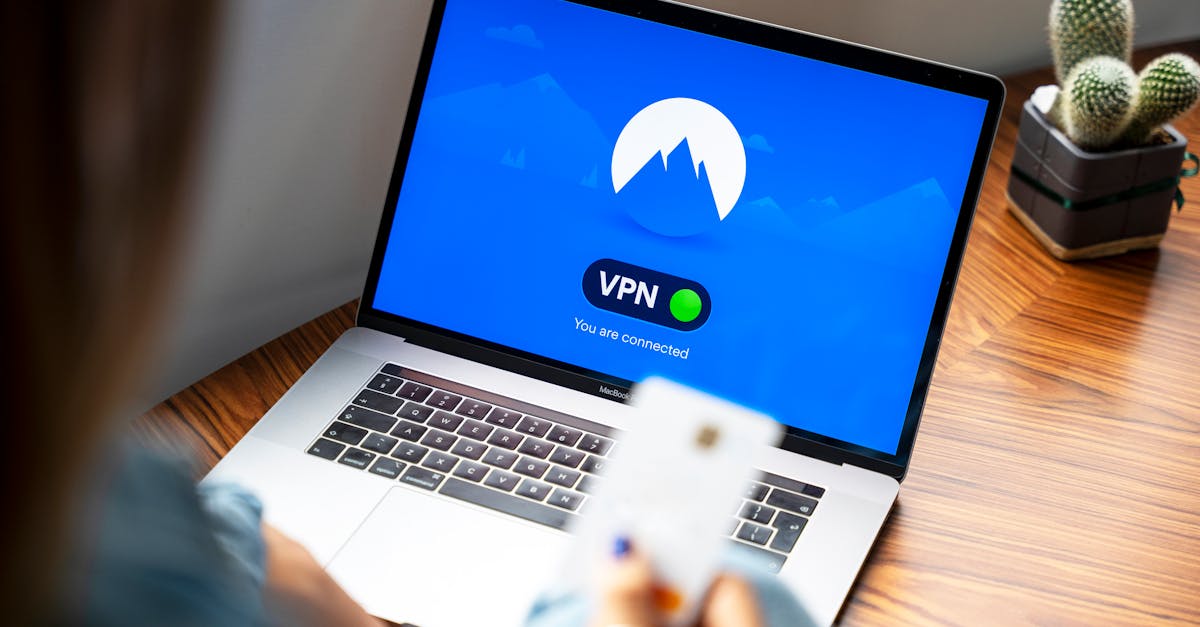
VPNs (Virtual Private Networks) are widely promoted as the ultimate privacy tool, and while they serve a critical function, many people misunderstand their limitations. A VPN encrypts your internet connection and routes it through a server operated by the VPN provider, masking your IP address from the websites you visit and your Internet Service Provider (ISP). This is invaluable for preventing certain types of tracking, especially on public Wi-Fi, and for bypassing geo-restrictions.
However, a VPN is not a magic bullet that makes you anonymous or impervious to all tracking. It doesn’t prevent websites from using cookies or browser fingerprinting to track you. It doesn’t stop Google or Facebook from tracking your activity within their logged-in services. Crucially, your privacy is now dependent on the trustworthiness of your VPN provider. A disreputable VPN can see all your traffic and potentially log it, making them a new point of vulnerability. What I tell people is that a VPN is an important layer of privacy, not the entire solution.
For most users, a VPN is highly recommended for situations where your internet connection might be monitored (e.g., public Wi-Fi, restrictive networks) or when you want to obscure your IP address. But it needs to be combined with the other foundational practices discussed: strong passwords, 2FA, privacy-focused browsers, and careful management of app permissions. Don’t invest in a VPN as your only privacy measure, thinking it absolves you from other responsibilities. Choose a reputable VPN provider with a transparent no-logging policy, and understand its specific role within your broader privacy strategy. It shields your connection, but it doesn’t cleanse your digital footprint or magically make your accounts unhackable.
Frequently Asked Questions
Q: Do I really need a password manager? Can’t I just remember strong passwords?
A: You absolutely need a password manager. Humans are terrible at creating and remembering truly strong, unique passwords for dozens or hundreds of accounts. A password manager generates complex, random strings that are virtually impossible to guess or crack and stores them securely. Trying to remember them yourself often leads to reusing passwords or using weak, easily compromisable ones, leaving you vulnerable to credential stuffing attacks. It’s a non-negotiable tool for modern digital security.
Q: Isn’t using a private browser and search engine enough?
A: It’s a significant step, but not a complete solution. A private browser and search engine dramatically reduce passive tracking and data collection from websites. However, they don’t protect your accounts from weak passwords, stop apps on your phone from collecting data, or prevent you from oversharing on social media. Think of it as a strong fence around your house, but you still need to lock your doors and windows. It’s an excellent foundation, but needs to be complemented by other practices.
Q: If companies collect so much data anyway, why bother trying to protect my privacy?
A: While complete data invisibility is largely impractical for most, every effort to control your data reduces your attack surface and limits what bad actors or overzealous advertisers can do. It’s about reducing risk and reclaiming agency. You might not stop all data collection, but you can prevent your most sensitive information from being easily accessible, limit targeted manipulation, and significantly decrease the chances of identity theft or account compromise. Every bit of effort makes a difference in making you a less attractive target.
Q: Are ‘incognito mode’ or ‘private browsing’ enough for privacy?
A: No, ‘incognito mode’ or ‘private browsing’ primarily prevent your browser from saving your local browsing history, cookies, and site data on your device. They do not mask your IP address, prevent your ISP from seeing your activity, or stop websites and advertisers from tracking you. They offer local privacy from others using your computer, but not online privacy from web services. For true online privacy, you need to combine it with other tools and practices like a VPN and privacy-focused browser settings.
Q: Should I delete all my social media accounts for better privacy?
A: This is a personal choice. Deleting social media accounts will certainly reduce your exposure to data collection and profiling by those specific platforms. However, it’s not always practical or desirable for everyone. A more balanced approach might be to severely limit what you share, tighten your privacy settings on those platforms, review app permissions, and be mindful of the information you consume and interact with. If social media is a critical part of your personal or professional life, focusing on responsible usage rather than outright deletion is often a more sustainable strategy.
The Path Forward: Pragmatism Over Paranoia
Online privacy doesn’t have to be a daunting, full-time job. The common mistake is to view it as an all-or-nothing endeavor, leading many to give up before they even start. What truly works is a pragmatic approach: focus on the high-impact, low-effort changes that address the most common vulnerabilities. Secure your accounts with unique passwords and 2FA, choose a privacy-respecting browser and search engine, and regularly audit your device and app permissions.
These fundamental steps provide a robust defense for the vast majority of users, allowing you to navigate the digital world with greater confidence and significantly reduce your digital footprint without sacrificing convenience or productivity. Stop chasing the impossible ideal of perfect anonymity and start building a sustainable, effective privacy strategy. Your digital life will be far more secure, and you’ll save yourself a lot of unnecessary stress in the process. Start with your passwords, move to your browser, and then periodically review your apps. These small, consistent efforts yield the biggest dividends in real-world privacy.
Written by Marcus Thorne
Software analysis and cybersecurity tips
A former software engineer, Marcus transitioned into tech journalism to explain complex digital concepts in simple terms.
You Might Also Like

A Practical Checklist for Securing Bluetooth Devices Against Home Eavesdropping
Don't let your Bluetooth devices be an open mic. Learn practical steps to secure them against eavesdropping in your home, protecting your privacy.
A Beginner's Guide to Understanding VPN Protocols
Unpack the different VPN protocols and their implications for speed, security, and privacy online. Make informed choices for your digital protection.
Why a '0000' PIN on Bluetooth Devices Is a Major Security Risk
The default '0000' PIN on Bluetooth devices exposes your data. Discover why this simple number is a major security risk and what steps you must take.